Try the demo
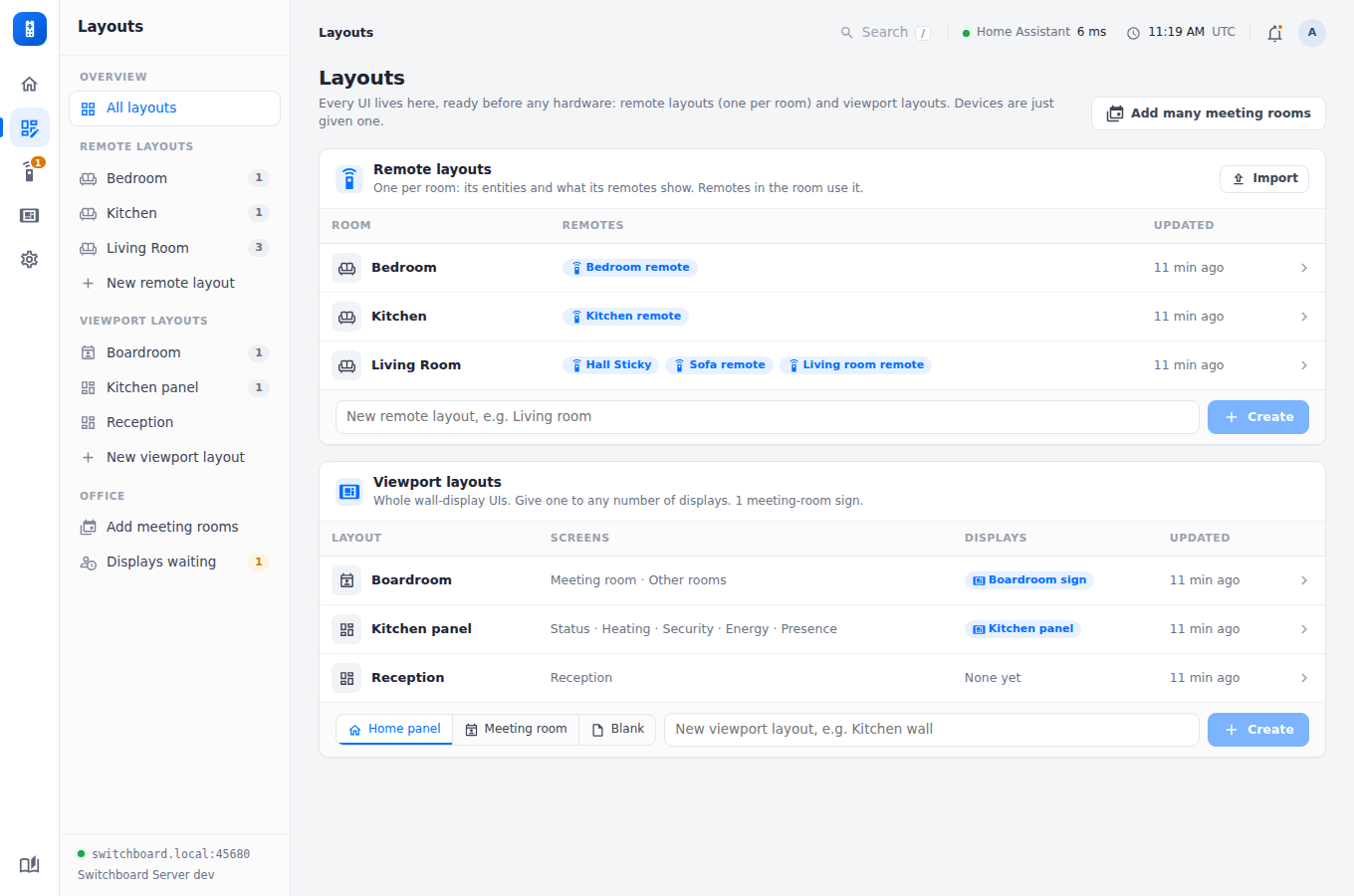
The server repository comes with a demo: a pretend Home Assistant with a whole house in it, and a Switchboard Server seeded with rooms, remotes, wall displays, weeks of battery history and a firmware release. It needs no hardware and no real Home Assistant.
git clone https://github.com/stumarti/Switchboard-Server
cd Switchboard-Server
npm install
node tools/demo/demo.js
Open http://localhost:45680 and sign in with the password demo. Ctrl-C stops it. Its data goes in a new temporary folder each time, so nothing you change is kept.
What’s in it
| Rooms | Living Room (every page: lights and scenes, blinds, music, TV, Xbox, an Enigma2 receiver, climate, Quick Access), Kitchen and Bedroom |
| Remotes | Four X4 Pros, one of them low on battery, a Sticky (another kind of remote, on its own board), and a new one waiting for approval |
| Viewports | A kitchen panel (weather, energy, heating, presence, security), a boardroom sign with a room finder, and a reception screen with company news |
| Updates | Switched on: the X4 Pro’s v1.4.0 out to one pilot, and the Sticky’s own v0.2.0 released to every Sticky |
| Home Assistant | tools/demo/fake-ha.js: states, weather forecasts, energy history, calendars, album and box art, and an RSS feed |
Settings
| Variable | Default | |
|---|---|---|
DEMO_PORT |
45680 |
The admin UI’s port. Use 45678 to point the firmware’s screenshot tool at it. |
FAKE_HA_PORT |
48123 |
The pretend Home Assistant |
DEMO_DATA |
a new temp folder | Where the server keeps its data |
DEMO_VERBOSE |
unset | Set to 1 to see the server’s own log |