Reception
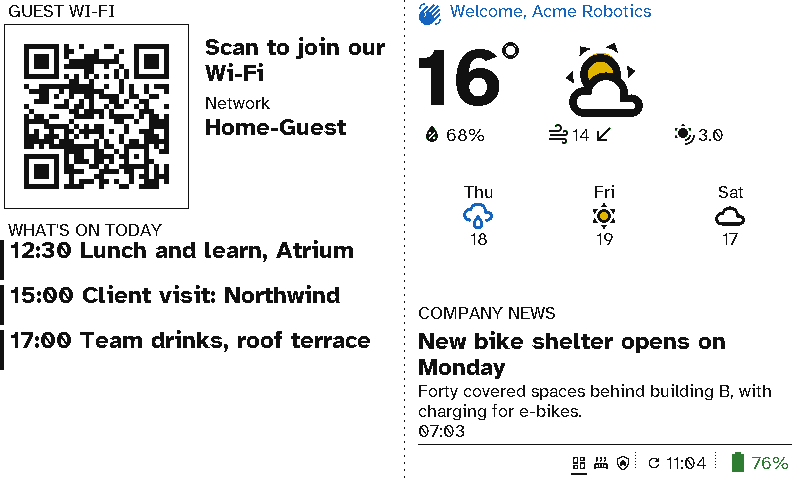
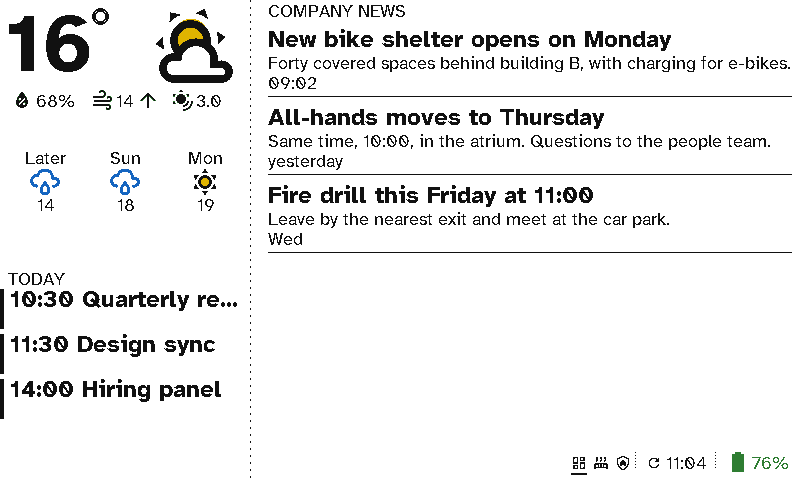
At reception, a viewport welcomes today's visitor by name, gives them the guest Wi-Fi as a code to scan, and shows the weather, what's on today and the latest company news.
The case for Switchboard
- Visitors log in without asking. They scan the Wi-Fi code on the wall. Nobody reads a password out or writes it on a sticky note.
- A personal welcome. The visitor’s name comes from a text field or the visitor system through Home Assistant, so the receptionist doesn’t edit a slide.
- Company news without a TV. The news comes from your intranet’s RSS feed, or a message you type, so nobody edits a slide.
- Today’s events for everyone. Lunch and learns, client visits and drinks come from a shared calendar.
- Looks like print, costs nothing to run. No glowing screen, no power cable across the desk, and months between charges.
- Anyone at reception can use it. It needs no training: the screen changes by itself, and the three buttons are previous, next and home.
Setting it up
The one-screen board is two columns:
- Left: Guest Wi-Fi (the password can be left off the screen, and stays in the code), then a Calendar of today’s events.
- Right: a Message for the welcome, Weather, then Announcements reading the company news feed.
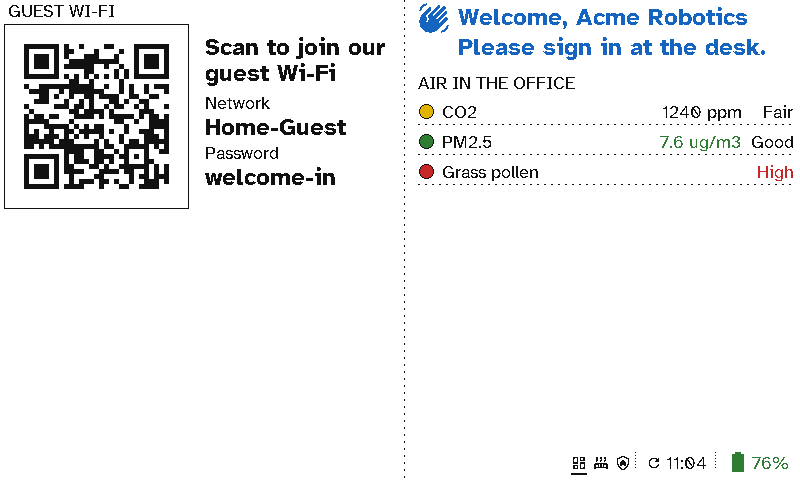
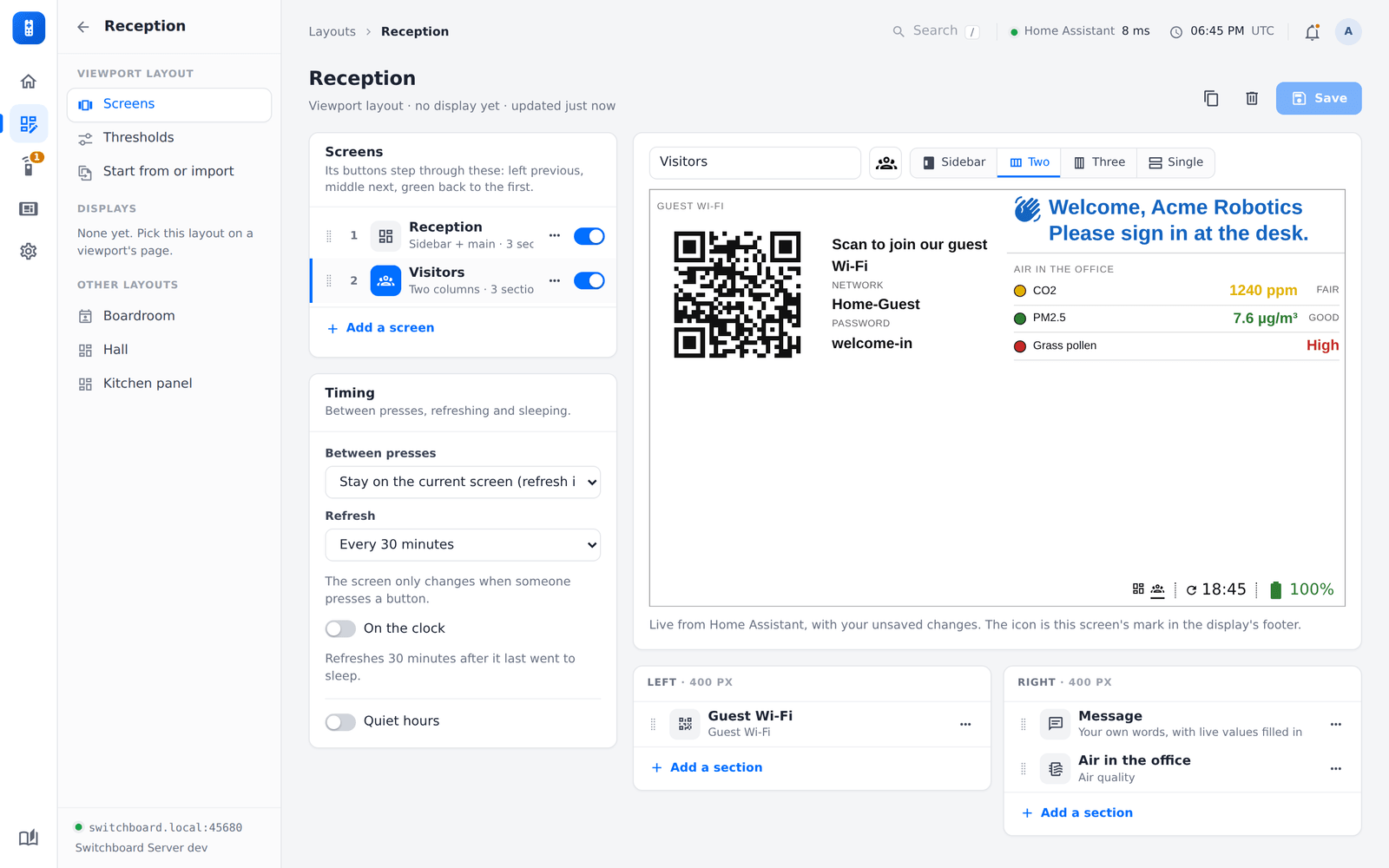
The two-screen version adds Air quality. See Viewport layouts.