Chores and pets
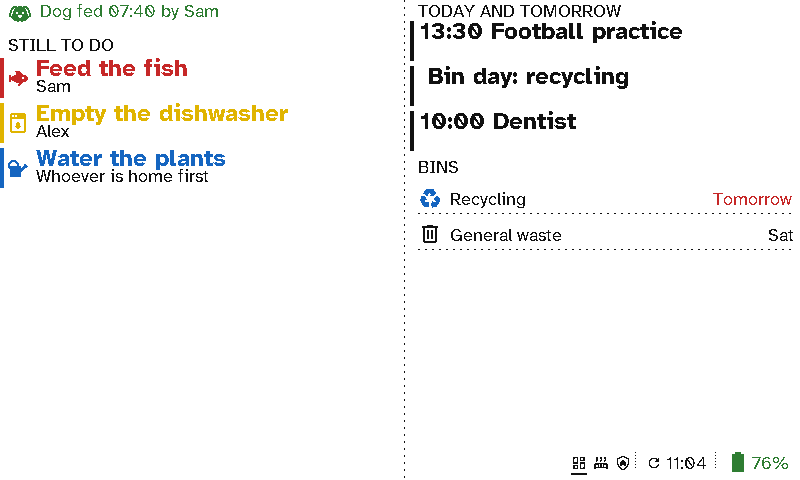
"Has anyone fed the dog?" A viewport in the kitchen answers it: when the dog was fed and by whom, the jobs still to do today, and who they're for. Ticked-off jobs disappear.
The case for Switchboard
- No double-feeding, no forgotten fish. Dog fed 07:40 by Sam is on the wall for everyone to see.
- Jobs that go away when they’re done. Each job shows in its own colour until it’s ticked off, then disappears. Children can see what’s left without a phone.
- Plain words. Empty the dishwasher, Alex needs no explaining.
- On the fridge, with no cable. It runs for months on a charge.
Setting it up
Each job is a Home Assistant toggle (input_boolean), shown in a Now section while it’s off. Tick it off from the Home Assistant app, a dashboard or an NFC tag by the dog bowl. Dog fed {input_text.dog_fed} is a Message filled in from a text helper that an automation sets.
Ticking jobs off with the viewport’s own buttons is planned: today its three buttons change screens.