Quick Access and the shade
Two things are a press of the Home key (the touch key below the screen) away from any carousel page.
Tap Home: Quick Access
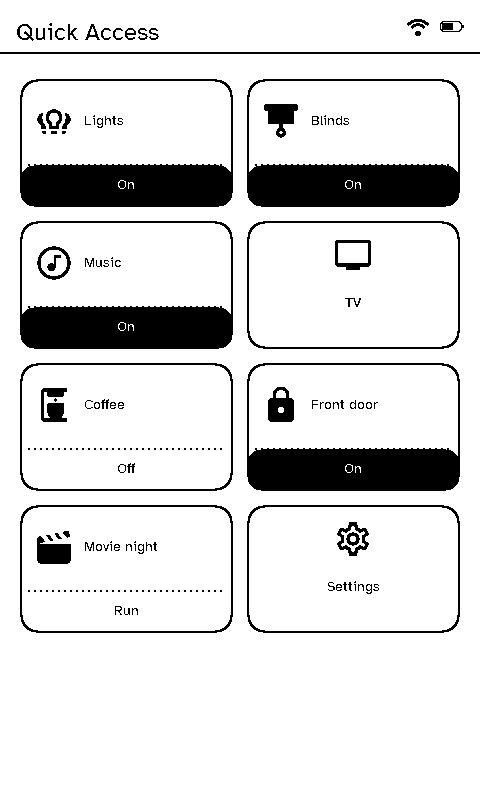
If the room has Quick Access buttons (set on the server’s remote layouts), tapping Home shows them, up to ten a page. Each button’s top part opens a page. Its bottom strip, if it has one, does something straight away:
- Toggle: switches an entity, and shows whether it’s on. It understands what “on” means for each kind: an open cover or valve, a locked lock, a cleaning vacuum, a playing speaker.
- Run: calls a Home Assistant service, such as a scene or a script.
The strips can be switched off on the remote in Settings → Developer → Quick actions, leaving just the page buttons.
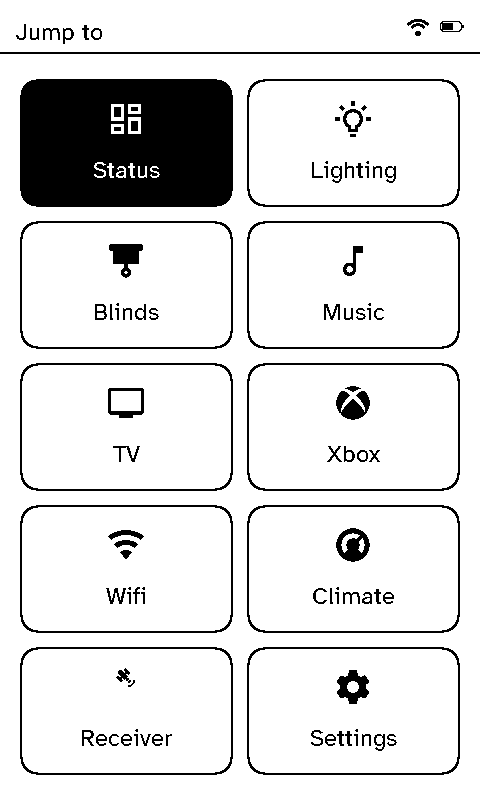
A room without Quick Access buttons gets Jump to instead: a grid of every page it shows, plus Settings, to go straight to one instead of stepping through the carousel.
Hold Home: the shade
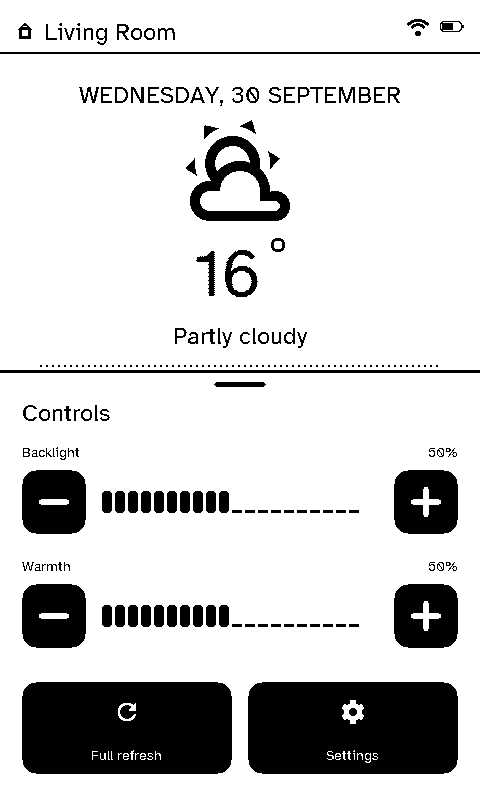
The shade slides up over the page with the screen’s backlight brightness and warmth, a button for a full (clean) refresh of the e-ink panel, and one for Settings.