Front door
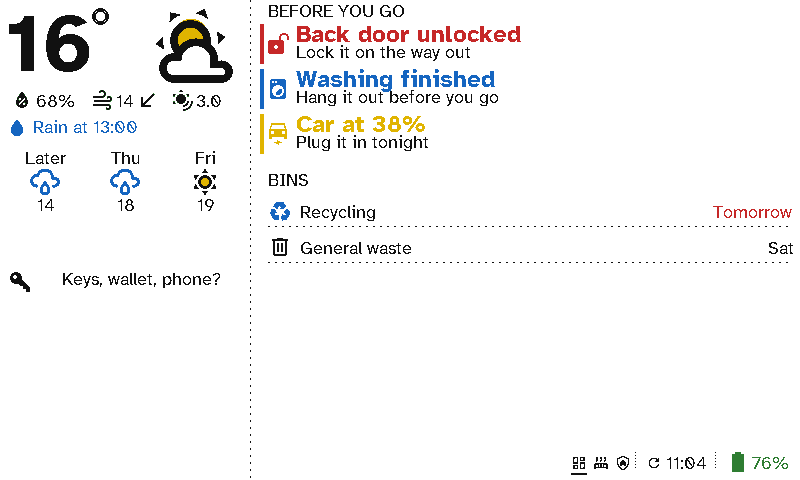
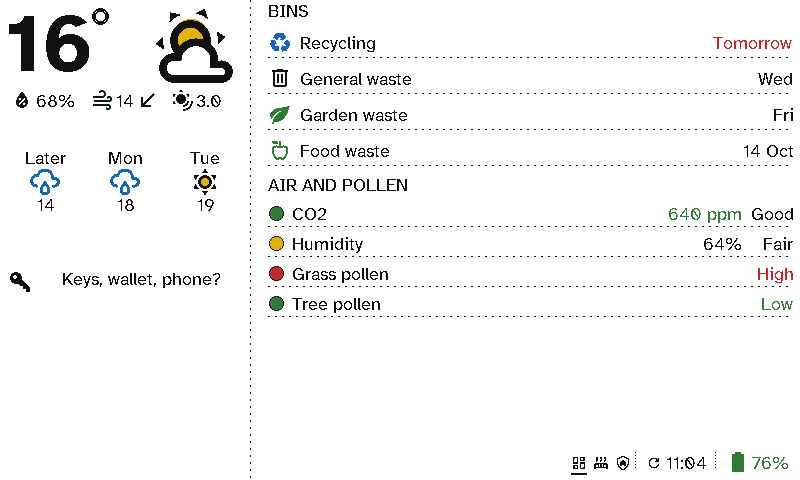
The hall is the last place you pass before you leave. A viewport there answers the questions you'd otherwise ask on the doorstep: will it rain, is the back door locked, is the washing done, which bin goes out.
The case for Switchboard
- It catches things before you’ve gone. Back door unlocked, Washing finished and Car at 38% appear only when they’re true, in red, blue or yellow, with a line saying what to do. When all is well, the list is empty.
- The forecast that matters at the door. The weather section says when the rain starts or stops today, not just a percentage.
- The bins, sorted. Collections come from your council’s calendar link or a Home Assistant sensor. The night before, it says Put out tonight.
- No wiring in the hall. It hangs on a nail or sits on a shelf, and runs for months on a charge.
- Your words. The messages are yours: Keys, wallet, phone?
Setting it up
This screen is two columns:
- Left: a Weather section with its rain outlook, then a Message with an icon.
- Right: a Now section of entity items, each with a condition and your own wording, then a Bins section.
See Viewport layouts for each section’s options.